

Support
Example data for OLYMPUS Stream 2.4.4 (for Windows OS 64bit)
Sorry, this page is not available in your country
Let us know what you're looking for by filling out the form below.
This software is the installer of the example data (images and example database) for OLYMPUS Stream 2.4.4. The following operating systems are supported:
Microsoft® Windows® 10 Pro (64 Bit)
Microsoft® Windows® 8.1 Pro (64 Bit)
Microsoft® Windows® 7 Ultimate/Professional (64 Bit) SP1
This software comes with an "END-USER LICENSE AGREEMENT". Prior to downloading the software, please read the END-USER LICENSE AGREEMENT. When downloading begins, it automatically assumes that you have agreed to this AGREEMENT.
(1) Click the [Download] button at the right of this page.
(2) When an entry form appears, enter all required fields.
(3) Click the [Download] button to start downloading.
(1) Uncompress zip file
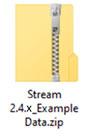
(2) Right-click on the icon and select [Extract All…] from the pop-up menu.
![Right-click on the icon and select [Extract All…] from the pop-up menu.](https://industrial.evidentscientific.com.cn/data/Image/SoftwareDownload/OLYMPUS_Stream/ver243/Softwer_stream_243_example_02.jpg?rev=5E08)
(3) Set a Destination and click the [Extract] button.
![Set a Destination and click the [Extract] button.](https://industrial.evidentscientific.com.cn/data/Image/SoftwareDownload/OLYMPUS_Stream/ver243/Softwer_stream_243_example_03.jpg?rev=5E08)
(4) The file is uncompressed and the folder is open. Double click on the file "setup.exe" in the folder.
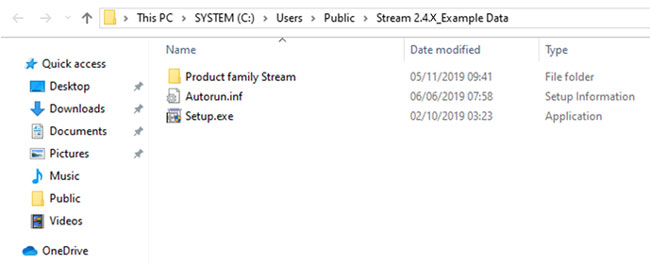
(5) The installer will start. Continue the installation following the installer instructions.
*The software requires administrator rights for conducting the installation process. If your account is not, please request assistance from your PC administrator to install this software.
| Select Language for Download |
|---|
Have a question about a product or solution featured in this file?
You are being redirected to our local site.