 | Easy for Every Experience LevelPRECiV™ CIX software provides step-by-step guidance, making technical cleanliness inspections easy for all experience levels. Intuitive workflows and user rights management improve confidence in results while reducing cycle time, cost per test, and user errors. The result is a system optimized for productivity and high-quality standards. |
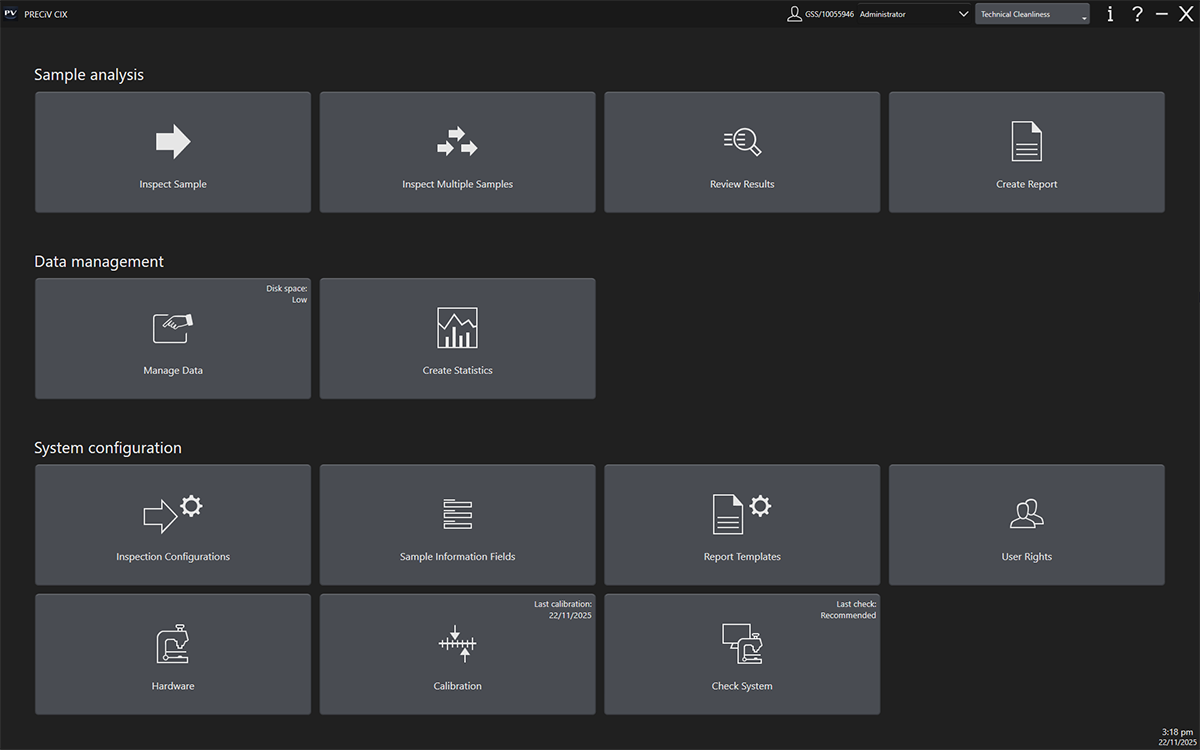
Guided WorkflowsAn intuitive workflow guides users through three steps: Inspect Sample, Review Results, and Create Report. From scanning the sample to creating compliant reports, maximized automation improves ease of use so that users of all levels can perform efficient inspections and produce reliable data. |
 Intuitive workflow with large buttons that are easy to click with a mouse or the touch-screen monitor. Workflow steps from left to right: Mount Sample, Edit Settings, Run Inspection, Review Results, and Create Report. |
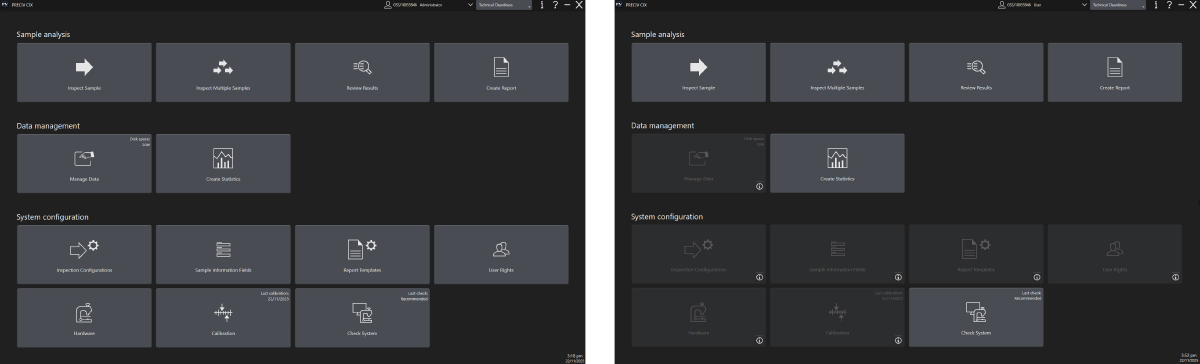
User Rights Management ToolsAdministrators can control which users have access to different parts of the system, helping novice users stay on task. It also prevents accidental modification of critical parameters, such as calibration and data selected for the automatically generated report. |
 |
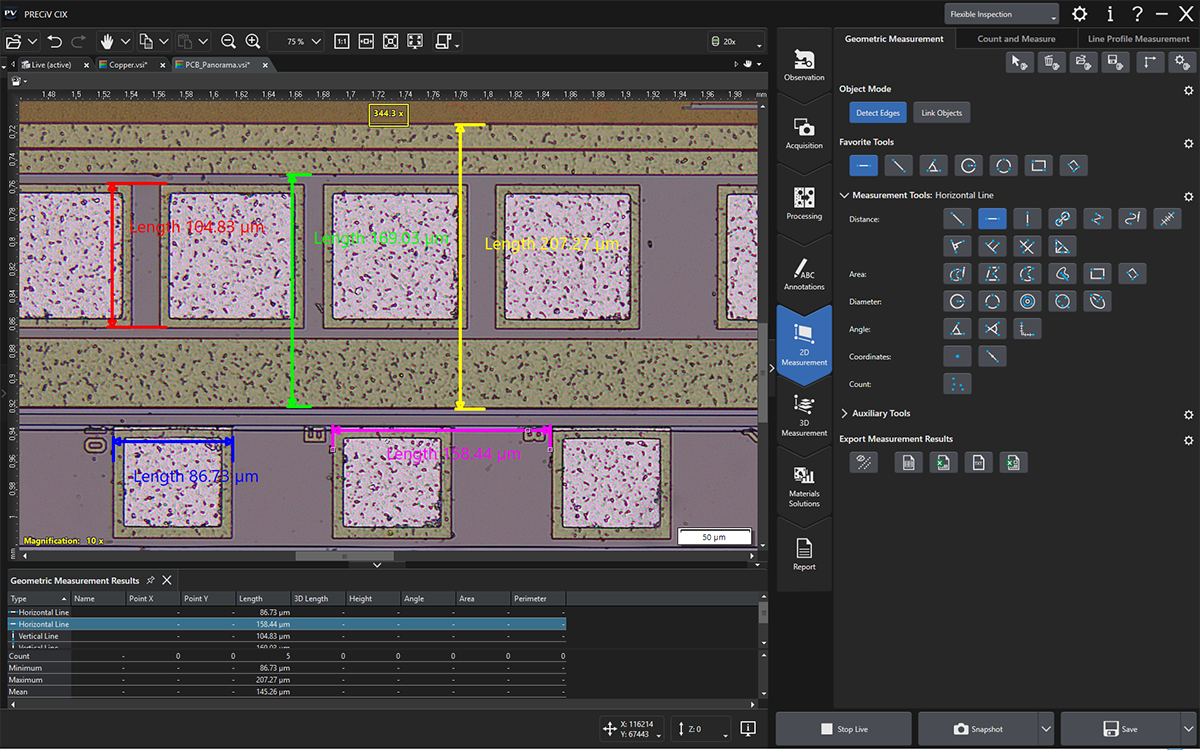
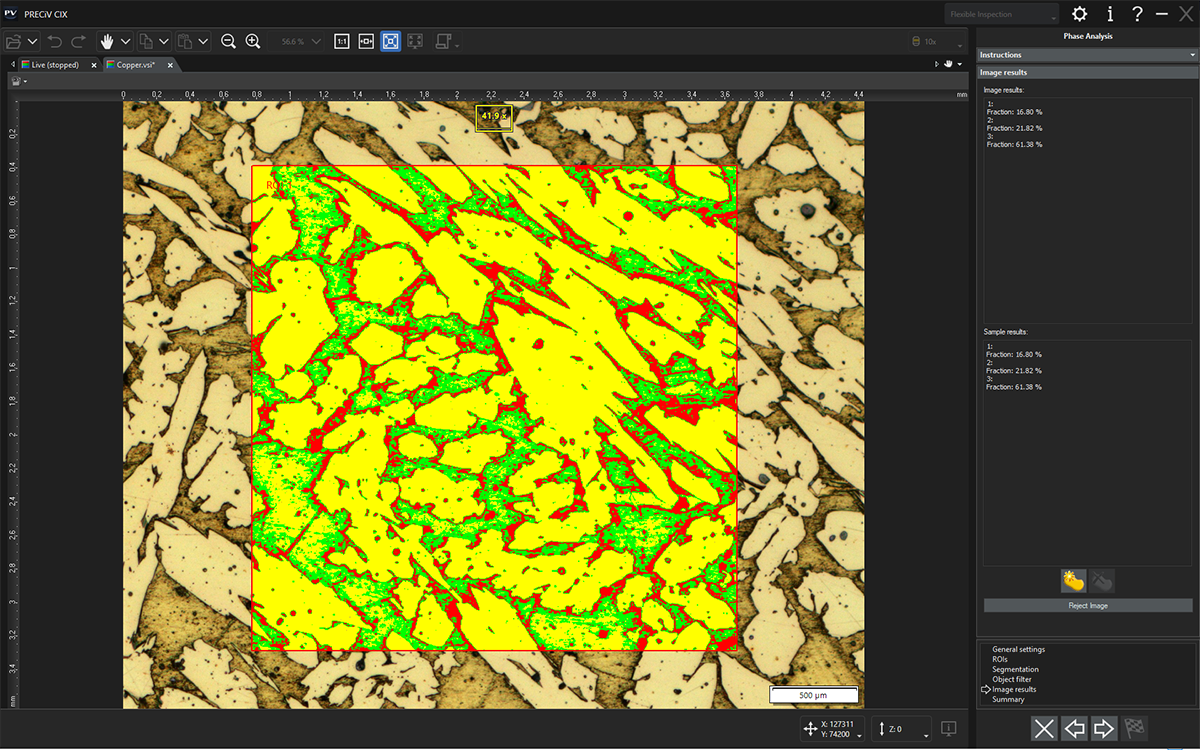
| Advanced MicroscopyPRECiV CIX microscope mode* enables you to leave the dedicated cleanliness inspection workflow to perform microscopic imaging, including extended focus imaging (EFI) and 2D measurement. Expand the microscope mode capabilities with optional material analysis solutions, such as Grain Sizing, Cast Iron, and Phase Analysis. As needed, these solutions can be extended with special functions customized to individual users or applications. *Microscope mode is an optional solution in PRECiV CIX. |